


项目仓库: https://github.com/Akvicor/ngx_auth_cookie_module
已编译源: https://deb.ksyaki.com/nginx/
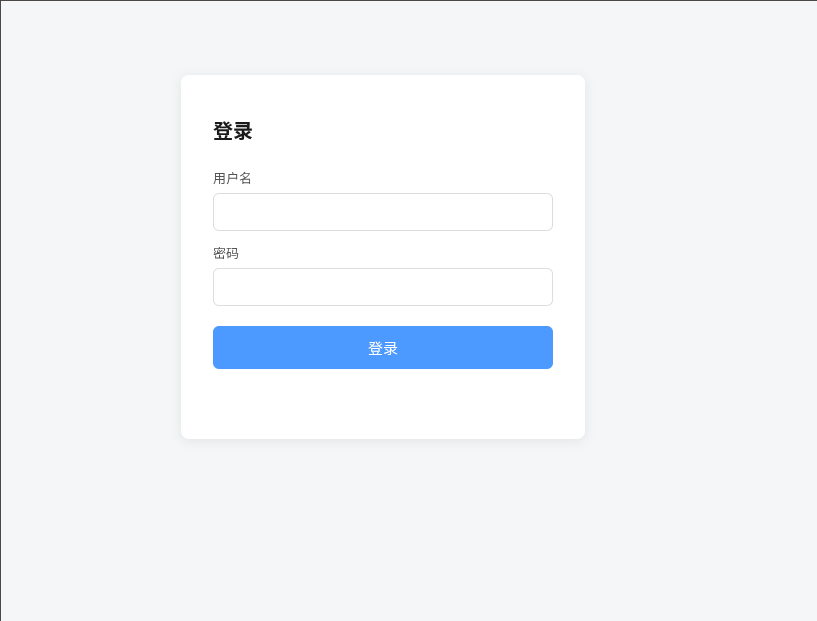
这是一个 nginx Cookie 会话认证模块,主要功能包括:
使用 htpasswd 文件校验用户名和密码。
登录成功后签发 HMAC-SHA256 签名 Cookie。
后续请求通过 Cookie 自动认证,无需服务端保存会话。
支持会话过期、登出、自定义登录页面和登录跳转。
Cookie 与请求域名、用户文件及密码哈希绑定,修改密码后旧会话失效。
提供 $auth_cookie_user 变量记录当前认证用户。
支持在 server 或 location 级别启用认证。
核心流程是:未认证请求跳转登录页,登录成功后设置 Cookie并返回原页面,后续验签通过即可访问。
安装
如果是使用的Debian系统,可以直接使用已经编译好的源通过apt安装
构建
模块依赖 nginx ngx_crypt()、libcrypt 与 OpenSSL。配置 nginx 时加入:
./configure \
  --with-http_ssl_module \
  --add-module=../modules/ngx_auth_cookie_module
配置
server {
    listen 443 ssl;
    server_name app.example.com;

    auth_cookie_user_file /etc/nginx/htpasswd;
    auth_cookie_page basic;

    # auth_cookie_name auth_cookie;
    # auth_cookie_secure on;
    # auth_cookie_secret /etc/nginx/auth_cookie.secret;
    # auth_cookie_session_ttl 12h;
    # auth_cookie_title "Restricted Content";
    # auth_cookie_login_uri /_login;
    # auth_cookie_logout_uri /_logout;

    location / {
        proxy_pass http://127.0.0.1:3080;
    }
}Location 级配置
登录 URI 需要落入同一个 location 配置。前缀 location 可按下面的方式设置:
location /private/ {
    auth_cookie_user_file /etc/nginx/private.htpasswd;
    auth_cookie_login_uri /private/_login;
    proxy_pass http://127.0.0.1:3080;
}
server 级配置可直接使用默认 /_login。
自定义页面
绝对路径页面在配置加载时读入,最大 128 KiB,渲染结果最大 512 KiB。文件修改在 reload 或重启后生效。模板支持以下占位符:
{{title}}{{error}}{{next}}{{action}}
动态值会进行 HTML 转义。占位符应放在文本节点或带双引号的属性中。登录表单须使用 POST,并提交 username、password 与可选的 next 字段。
会话与安全边界
Cookie 格式为:base64url(user:exp:nonce).hex(OpenSSL HMAC-SHA256(secret, host + user_file + payload))
签名绑定请求 host 与用户文件,来自其他虚拟主机或认证域的 Cookie 无法重放。next 只接受站内绝对路径或 authority 与当前 Host 一致的 HTTP(S) URL,并拒绝控制字符、反斜杠和协议相对 URL。
会话无服务端状态,多 worker 可直接验签。htpasswd 在配置加载时读入内存,文件修改在 reload 或重启后生效。签发绑定当前用户密码哈希指纹,删除用户或改密并 reload 后旧会话失效。登出会清除浏览器 Cookie。生产环境应使用 HTTPS,并可通过 nginx limit_req 为登录 URI 配置速率限制。
$auth_cookie_user 变量包含当前已认证用户名,可用于访问日志:
log_format auth '$remote_addr user=$auth_cookie_user "$request" $status';